


PVC i ALU stolarija
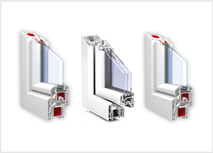
Optimizirane izolacione vrijednosti, prostor za velike površine stakla, plus elegantan i napredan dizajn.
Nova generacija prozora i vrata
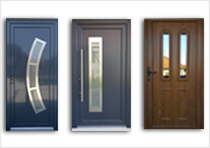
Nova generacija prozora i vrata, pomaže vam da ispunite svoj san o svijetloj životnoj sredini.
Transport i ugradnja
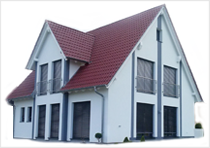
Transport i ugradnja širom Bosne i Hercegovine i Europe.
FAQs
A lot of different languages are available for the Back-end, but by default this language may not be installed. If you want a translated Back-end, get your language pack and install it using the Extension Installer. After this, go to the Extensions Menu, select Language Manager and make your language the default one. Your Back-end will be translated immediately.
Users who have access rights to the Back-end may choose the language they prefer in their Personal Details parameters. This is of also true for the Front-end language.
A good place to find where to download your languages and localised versions of Joomla! is Translations for Joomla! on JED.
Joomla! 1.5 does not provide an upgrade path from earlier versions. Converting an older site to a Joomla! 1.5 site requires creation of a new empty site using Joomla! 1.5 and then populating the new site with the content from the old site. This migration of content is not a one-to-one process and involves conversions and modifications to the content dump.
There are two ways to perform the migration:
Opširnije: How do I upgrade to Joomla! 1.5 ?To completely remove an Article, select the Articles that you want to delete and move them to the Trash. Next, open the Article Trash in the Content Menu and select the Articles you want to delete. After deleting an Article, it is no longer available as it has been deleted from the database and it is not possible to undo this operation.
General
In Joomla! 1.5 all User interfaces can be localised. This includes the installation, the Back-end Control Panel and the Front-end Site.
The core release of Joomla! 1.5 is shipped with multiple language choices in the installation but, other than English (the default), languages for the Site and Administration interfaces need to be added after installation. Links to such language packs exist below.
Opširnije: How do I localise Joomla! to my language?Installing of Joomla! 1.5 is pretty easy. We assume you have set-up your Web site, and it is accessible with your browser.
Download Joomla! 1.5, unzip it and upload/copy the files into the directory you Web site points to, fire up your browser and enter your Web site address and the installation will start.
For full details on the installation processes check out the Installation Manual on the Joomla! Help Site where you will also find download instructions for a PDF version too.
PVC
ALU
 Koristimo najsavremenije materijale u izradi same stolarije, poznatih renomiranih svjetskih proizvođača profila, kao što su TROCAL, KBE, FEAL, ALUMIL ...
Staklo
Galerija

 Tel: +387 61 757 413 Tel/fax: 037 687 071