


PVC i ALU stolarija
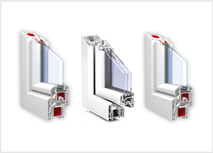
Optimizirane izolacione vrijednosti, prostor za velike površine stakla, plus elegantan i napredan dizajn.
Nova generacija prozora i vrata

Nova generacija prozora i vrata, pomaže vam da ispunite svoj san o svijetloj životnoj sredini.
Transport i ugradnja
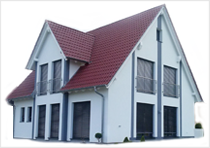
Transport i ugradnja širom Bosne i Hercegovine i Europe.
Template Details
Firma SAP se nalazi u Sanskom Mostu, jedinom gradu u BiH čija općina ima devet rijeka, a grad se nalazi na površini od 12,90 km2, te općina na površini od 781 km2. Sanski Most sa okolinom se nalazi u srednjem toku rijeke Sane sa osloncem na planinu Grmeč, na zapadu i planine Mulež na istoku ... više


JSN Dome provides 3 menu styles to present your website navigation. The default Joomla! built-in menu module (mod_mainmenu) is utilized, so you don't need to install any external menu modules.
Main Menu

Main Menu is very powerful menu built with clean accessible XHTML code structure and effective drop-down submenu panels.
Main Menu with rich text

You can add icon and descriptive text to each menu item to make them much clearer and more appealing. Both descriptive text and icons are configured directly in menu item settings page, which is very convenient.
Tree Menu

Tree Menu represents menu items in clear tree-like hierarchy, which is very appropriate for indexing menu. By default all submenu items are collapsed until you select the parent menu item.
Div Menu

Div Menu is simple yet nice menu bar with items separated by slightly visible dashes. This menu is very suitable for footer navigation presentation.
Main Menu is very powerful menu built with clean accessible XHTML code structure and effective drop-down submenu panels.
Main Menu Rich Text

You can add descriptive text to menu items to make them much clearer.

To set up descriptive text, you need to go to menu item settings and add descriptive text to menu item’s parameter Link Title Attribute.
The flash gallery you see on this website is another cool product JSN ImageShow from JoomlaShine.com. This product is shipped with component, module and content plugin, so you can place it anywhere on every website.
On this page you can see how JSN ImageShow is presented as module on top and as plugin in article content. With it, you get smooth experience and consistent performance in all browsers. The JSN ImageShow also support mobile devices normally with JS/HTML version switched automatically when you visit the website.
Currently, JSN ImageShow comes with 6 themes: Theme Classic, Theme Slider, Theme Grid, Theme Carousel, Theme Strip and Theme Flow. More themes will be released in the future.


Sample gallery images
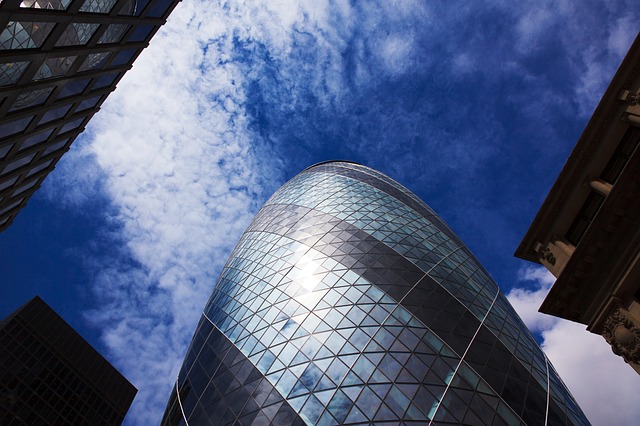
30 St Mary Axe
30 St Mary Axe, also known as "the Gherkin"Â, is a skyscraper in London's financial district completed in December 2003, with height of 180 meters and 41 floors.
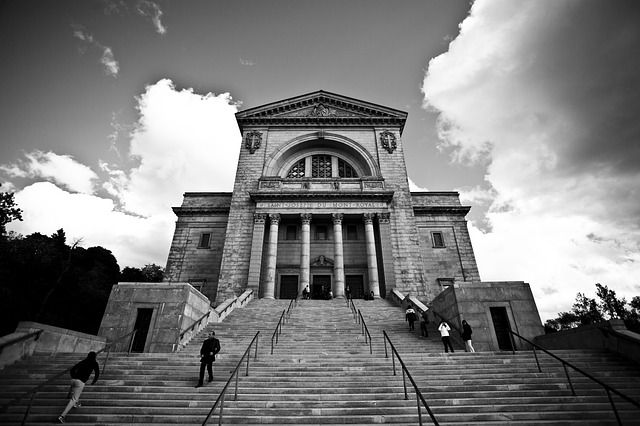
Roman Catholic
This is a Roman Catholic basilica and national shrine on the west slope of Mount Royal in Montreal, Quebec. It is Canada's largest church.
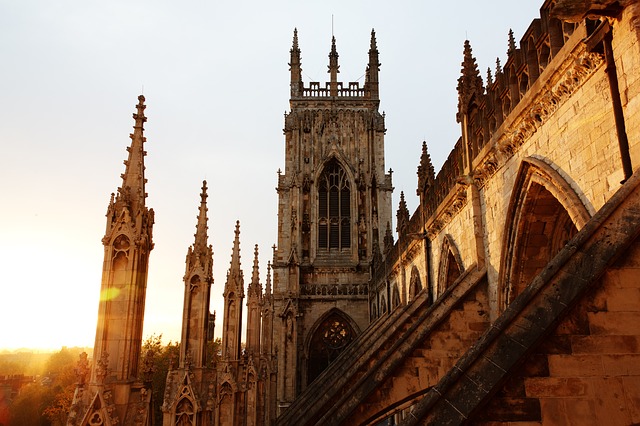
York Minster Cathedral
York Minster is a cathedral in York, England. It's one of the world's most magnificent cathedrals.
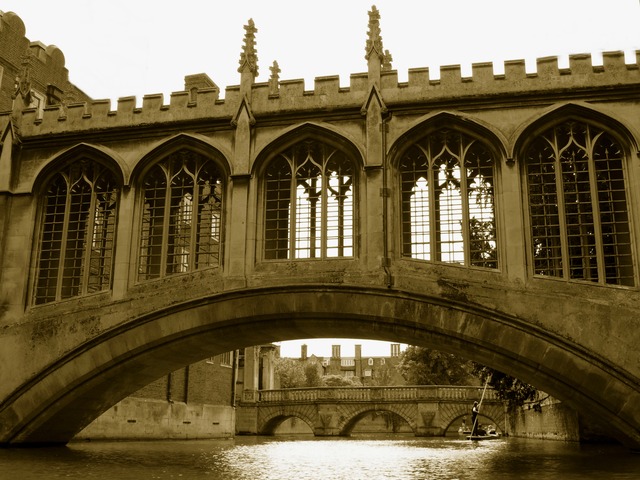
Bridge of Sighs
The Bridge of Sighs , designed by Henry Hutchinson, is a bridge crosses the River Cam. It's belong to St John's College of Cambridge University.
Eiffel Tower
The Eiffel Tower, located on the Champ de Mars in Paris, is global cultural icon of France and one of the most typical structures in the world.
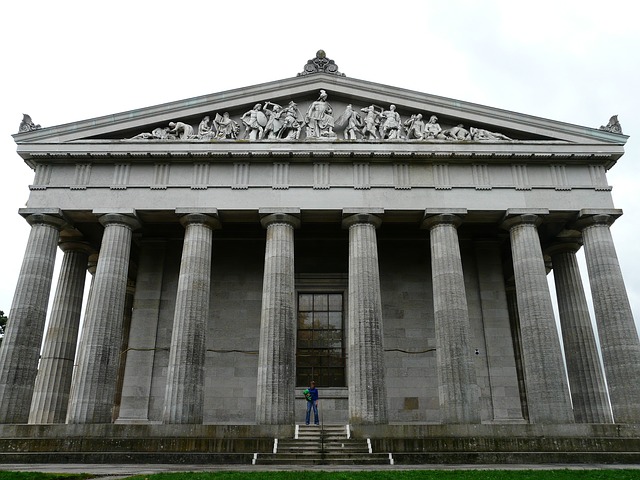
Enormous GateColumnar Walhalla
The Walhalla is a hall of fame that honors famous people in German history The hall is housed in a neo-classical building above the Danube River, Germany.
The Reichstag Dome
The Reichstag dome designed by architect Norman Foster is a glass dome constructed on top of the rebuilt Reichstag building in Berlin.
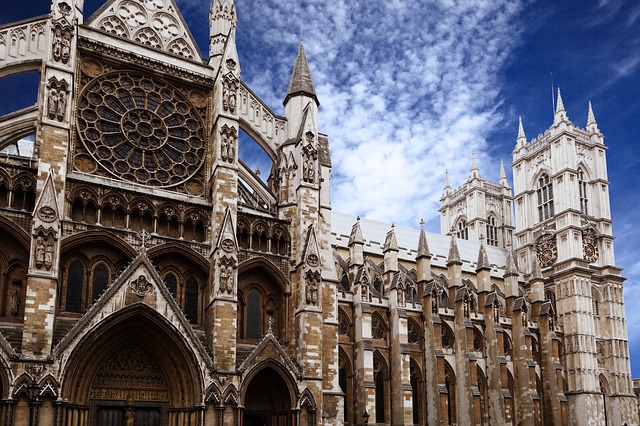
Westminster Abbey Church
Westminster Abbey is a large Gothic church in London, United Kingdom. This is the place where British royal weddings, coronation and burial site are taken place.
JSN ImageShow with Theme Classic
JSN ImageShow with Theme Slider
Sample gallery images
30 St Mary Axe
30 St Mary Axe, also known as "the Gherkin"Â, is a skyscraper in London's financial district completed in December 2003, with height of 180 meters and 41 floors.
Roman Catholic
This is a Roman Catholic basilica and national shrine on the west slope of Mount Royal in Montreal, Quebec. It is Canada's largest church.
York Minster Cathedral
York Minster is a cathedral in York, England. It's one of the world's most magnificent cathedrals.
Bridge of Sighs
The Bridge of Sighs , designed by Henry Hutchinson, is a bridge crosses the River Cam. It's belong to St John's College of Cambridge University.
Eiffel Tower
The Eiffel Tower, located on the Champ de Mars in Paris, is global cultural icon of France and one of the most typical structures in the world.
Enormous GateColumnar Walhalla
The Walhalla is a hall of fame that honors famous people in German history The hall is housed in a neo-classical building above the Danube River, Germany.
The Reichstag Dome
The Reichstag dome designed by architect Norman Foster is a glass dome constructed on top of the rebuilt Reichstag building in Berlin.
Westminster Abbey Church
Westminster Abbey is a large Gothic church in London, United Kingdom. This is the place where British royal weddings, coronation and burial site are taken place.
JSN ImageShow with Theme Grid

Sample gallery images
30 St Mary Axe
30 St Mary Axe, also known as "the Gherkin"Â, is a skyscraper in London's financial district completed in December 2003, with height of 180 meters and 41 floors.
Roman Catholic
This is a Roman Catholic basilica and national shrine on the west slope of Mount Royal in Montreal, Quebec. It is Canada's largest church.
York Minster Cathedral
York Minster is a cathedral in York, England. It's one of the world's most magnificent cathedrals.
Bridge of Sighs
The Bridge of Sighs , designed by Henry Hutchinson, is a bridge crosses the River Cam. It's belong to St John's College of Cambridge University.
Eiffel Tower
The Eiffel Tower, located on the Champ de Mars in Paris, is global cultural icon of France and one of the most typical structures in the world.
Enormous GateColumnar Walhalla
The Walhalla is a hall of fame that honors famous people in German history The hall is housed in a neo-classical building above the Danube River, Germany.
The Reichstag Dome
The Reichstag dome designed by architect Norman Foster is a glass dome constructed on top of the rebuilt Reichstag building in Berlin.
Westminster Abbey Church
Westminster Abbey is a large Gothic church in London, United Kingdom. This is the place where British royal weddings, coronation and burial site are taken place.
JSN ImageShow with Theme Carousel
Sample gallery images
30 St Mary Axe
30 St Mary Axe, also known as "the Gherkin"Â, is a skyscraper in London's financial district completed in December 2003, with height of 180 meters and 41 floors.
Roman Catholic
This is a Roman Catholic basilica and national shrine on the west slope of Mount Royal in Montreal, Quebec. It is Canada's largest church.
York Minster Cathedral
York Minster is a cathedral in York, England. It's one of the world's most magnificent cathedrals.
Bridge of Sighs
The Bridge of Sighs , designed by Henry Hutchinson, is a bridge crosses the River Cam. It's belong to St John's College of Cambridge University.
Eiffel Tower
The Eiffel Tower, located on the Champ de Mars in Paris, is global cultural icon of France and one of the most typical structures in the world.
Enormous GateColumnar Walhalla
The Walhalla is a hall of fame that honors famous people in German history The hall is housed in a neo-classical building above the Danube River, Germany.
The Reichstag Dome
The Reichstag dome designed by architect Norman Foster is a glass dome constructed on top of the rebuilt Reichstag building in Berlin.
Westminster Abbey Church
Westminster Abbey is a large Gothic church in London, United Kingdom. This is the place where British royal weddings, coronation and burial site are taken place.
JSN ImageShow with Theme Strip Vertical
Sample gallery images
30 St Mary Axe
30 St Mary Axe, also known as "the Gherkin"Â, is a skyscraper in London's financial district completed in December 2003, with height of 180 meters and 41 floors.
Roman Catholic
This is a Roman Catholic basilica and national shrine on the west slope of Mount Royal in Montreal, Quebec. It is Canada's largest church.
York Minster Cathedral
York Minster is a cathedral in York, England. It's one of the world's most magnificent cathedrals.
Bridge of Sighs
The Bridge of Sighs , designed by Henry Hutchinson, is a bridge crosses the River Cam. It's belong to St John's College of Cambridge University.
Eiffel Tower
The Eiffel Tower, located on the Champ de Mars in Paris, is global cultural icon of France and one of the most typical structures in the world.
Enormous GateColumnar Walhalla
The Walhalla is a hall of fame that honors famous people in German history The hall is housed in a neo-classical building above the Danube River, Germany.
The Reichstag Dome
The Reichstag dome designed by architect Norman Foster is a glass dome constructed on top of the rebuilt Reichstag building in Berlin.
Westminster Abbey Church
Westminster Abbey is a large Gothic church in London, United Kingdom. This is the place where British royal weddings, coronation and burial site are taken place.
JSN ImageShow with Theme Strip Horizontal
Sample gallery images
30 St Mary Axe
30 St Mary Axe, also known as "the Gherkin"Â, is a skyscraper in London's financial district completed in December 2003, with height of 180 meters and 41 floors.
Roman Catholic
This is a Roman Catholic basilica and national shrine on the west slope of Mount Royal in Montreal, Quebec. It is Canada's largest church.
York Minster Cathedral
York Minster is a cathedral in York, England. It's one of the world's most magnificent cathedrals.
Bridge of Sighs
The Bridge of Sighs , designed by Henry Hutchinson, is a bridge crosses the River Cam. It's belong to St John's College of Cambridge University.
Eiffel Tower
The Eiffel Tower, located on the Champ de Mars in Paris, is global cultural icon of France and one of the most typical structures in the world.
Enormous GateColumnar Walhalla
The Walhalla is a hall of fame that honors famous people in German history The hall is housed in a neo-classical building above the Danube River, Germany.
The Reichstag Dome
The Reichstag dome designed by architect Norman Foster is a glass dome constructed on top of the rebuilt Reichstag building in Berlin.
Westminster Abbey Church
Westminster Abbey is a large Gothic church in London, United Kingdom. This is the place where British royal weddings, coronation and burial site are taken place.
JSN ImageShow with Theme Flow
Mobile optimized
For mobile device, we have built special lightweight Javascript version, so you can be absolutely sure about images presentation.

Mobile optimized presentation (screenshot made by iPhone)
This extension is NOT included in the template package, but you can download it for free. Read more.
One of the fastest and easiest ways to learn template is to install sample data and start playing with it. JSN Dome provides unique mechanism of installing sample data directly on your current website. Just few steps and the demo website is here.
Step 1. Setup sample data
Go to template settings page and click button "Get started".

There are 2 options for you to choose: Install sample data directly on your site or download the quickstart package and use it as standard Joomla site.

The installation process would start instantly and you would get the website in less than a minute.
Step 2. Read template documentation and start playing

Done! Just 2 simple steps and you have sample data installed.
Now it's time to read documentation and play with the template. You can download documentation package for free.
PVC
ALU
 Koristimo najsavremenije materijale u izradi same stolarije, poznatih renomiranih svjetskih proizvođača profila, kao što su TROCAL, KBE, FEAL, ALUMIL ...
Staklo
Galerija

 Tel: +387 61 757 413 Tel/fax: 037 687 071